Seamless Integration

Connect PDS with your tech environment without disruption

A single communication engine that works with all your business systems, core platforms, internal services, and custom apps.
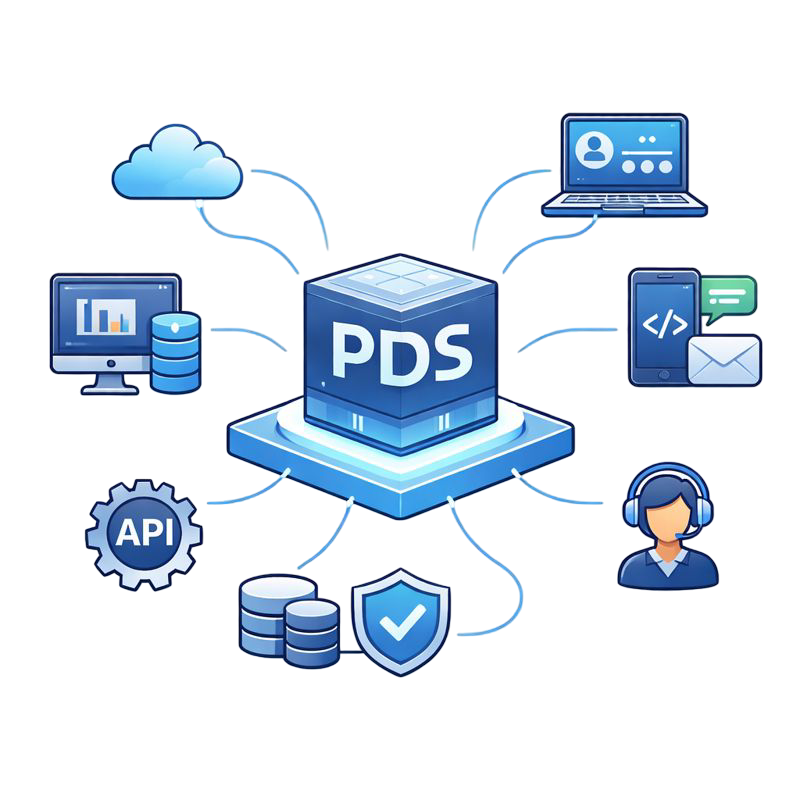
PDS Integration Hub

How PDS connects with your systems

PDS fits into your existing environment and becomes the communication engine behind your core operations. It connects with policy systems, claim platforms, finance apps, CRMs, and internal tools without forcing changes to your setup.

PDS integration engine

The PDS integration engine is the central layer that connects all your systems and controls the full communication flow. It works like a workflow automation tool that receives data, transforms it, applies rules, and sends actions forward.

Set up steps that read data, map fields, run conditions, trigger document creation, and route the final output, all through a structured workflow approach.
Accepts data from policy admin tools, claim platforms, banking apps, finance systems, CRMs, portals, and custom internal services, and converts everything into a consistent format.
Removes repetitive coding work, handles validation and transformation, and ensures every communication flow runs with accuracy and dependable performance.
PDSCommunicationEngineCore PlatformsCRMBusiness SystemsAPIInternal ServicesAll Your TechCustom Apps
?
PDSCRMPortalDBAPI
OKOK
ClientAppPDSAPIServerPOST /api/v1200 OK{"template": "doc1""format": "pdf"}Real-time Response
RequestPOST /apiAPIProcessGenerateResponse200 OKSendProcessReturn
12345const response =await pds.generate({template: 'invoice'});return response;POST /api/v1/generate
InsuranceBankingPortalPDSIntegrationConnected

Real time API access

PDS offers a complete REST API layer that lets your systems trigger document creation, pass structured data, fetch output, and manage templates with direct control. It gives technical teams a predictable and clean way to connect PDS with any application.

Your system sends a request with structured data, PDS generates the needed content, and the output returns instantly in the same flow.
Developers can work with clear endpoints for document generation, template management, job tracking, and log retrieval.
Insurance engines, core business tools, service portals, and custom applications can all interact with PDS through simple API calls without needing workflow setup inside PDS.

Flexible data handling

PDS can read and process data from many different sources. Your systems can send information in any structured format and PDS will map, validate, and prepare it for communication.

Accepts JSON, XML, SQL data, form fields, or outputs from legacy systems and converts everything into a uniform structure.
Incoming fields are mapped to templates with simple rules that keep your content accurate and consistent.
Insurance platforms, finance tools, workflow engines, and internal apps can all pass data to PDS without changing their format.
Data EngineSource ASource BSource CPDFEmailSMSTransformAny to AnyFlexible Data Transformation
DATADATADATAParserTransformUnifiedFormat
Sourcecustomer_nameaccount_idemail_addrphone_numTemplate{name}{account}{email}{phone}
LegacyCOBOLMainframeModernCloud APIMicroservicesPDSIntegrationEBCDICJSONUnified Flow
Platform1Platform2Platform3Native Connector LayerPDS Platform
InsuranceBankingPortalPDSIntegrationConnected
Core AppTriggerCreateData PipelinePDSGenerate DocEmailSMSPortalReal-time Processing

Native app connectors

PDS provides ready connectors for leading enterprise platforms. These native level integrations help teams connect PDS to their operational systems faster, with fewer steps and less custom effort.

Systems like Salesforce, PEGA, and Decisions can connect with PDS through built in connectors that handle authentication, data sync, and action triggers with minimal configuration.
Your teams can trigger document creation from within their familiar tools, pass data directly into PDS, and receive ready output without switching between systems.

Request Received!

Thank you for your integration request. Our team will review your requirements and get back to you within 2-3 business days to discuss the integration possibilities.

Submit your integration request

Connect PDS to Your Systems

PDS is built to connect with a wide range of systems, and we continue to expand our integration list based on customer needs.

If you want PDS to connect with any platform or internal tool, share your request here. Our team will review the details and guide you on the next steps.

Frequently Asked Questions

PDS can receive data through multiple intake methods such as file drops, message queues, secure folders, and integration platforms. The PDS integration engine converts this data into a format ready for communication, even when the source system cannot send API requests.
Yes. PDS supports secure connectivity with on premise environments through trusted network paths, controlled gateways, and approved access channels. This allows your internal systems to communicate with PDS without exposing sensitive layers.
All integration routes use token based authentication with clear permission control. Each project can have its own access level, keeping your internal structure protected while allowing the right systems to connect.
Yes. Your system can send a request and receive generated content in the same flow. You can also use callbacks to receive notifications once the document is ready.
Most teams can complete basic integration with minimal development effort, but you will still need a technical person to set up the initial connection. More advanced flows may require support from your internal developers for mapping and configuration.
PDS can return documents and messages to any system you choose, including print partners, email services, customer apps, storage systems, and in house platforms.
PDS can do more than create documents. It can pass data to other systems, route output to delivery channels, trigger follow up steps, and support multi step workflows through the workflow engine.
Yes. PDS can process data from older tools if you provide it in any structured form. The integration engine standardizes the input so the communication can be created correctly.

Ready to Transform Your Communications?

Every delay costs more time and opportunities. Upgrade from legacy systems and move toward a faster, smarter solution.