

How Legacy Document Tools Crash Salesforce During Insurance Claims (And the 1-Call Fix)
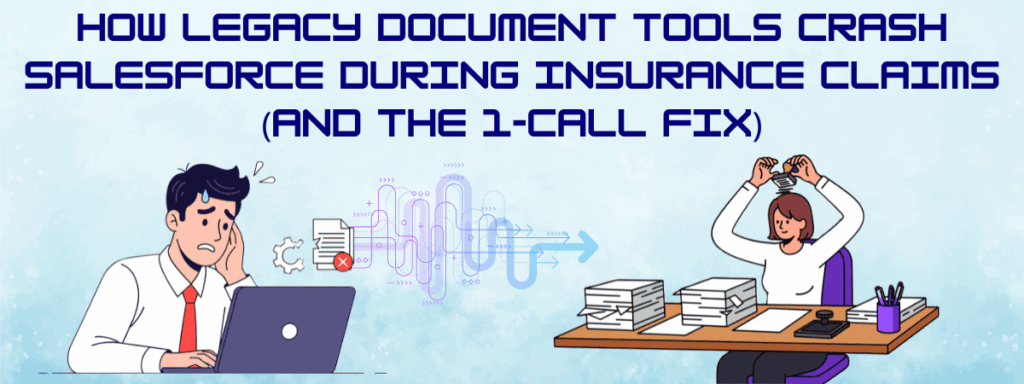
More often than not, without any warning, your dashboard freezes, the mobile app goes dark, and customer records can’t be pulled. For any business, this is no different than a shutdown in real time, not just some minor inconvenience.
Key Takeaways:
● API Landmine: Legacy tools make 50+ calls per doc, crashing Salesforce during claims surges.
● PDS Fix: 1 call per doc (or batch) scales to 10K+ without limits.
● No-Code Power: Claims teams own templates for fast compliance updates.
● CX Lifeline: Prevents outages so adjusters help customers, not fight systems.
This is exactly what happened to a mid-sized insurance carrier. With storm warnings flooding the news, the insurance claims department was operating at 110% capacity. Two hundred adjusters are working overtime, using Salesforce to create claim summaries and keeping track of all incoming calls. The company is already dealing with a crisis, and it suddenly crashes.
Panic sets in, and everyone’s trying to figure out what happened. Is it a DDoS attack? A Salesforce outage? A database corruption? It wasn’t what anyone thought it was; in reality, their legacy system couldn’t handle the workload. Bear in mind, it was built with 2010 architecture, and in today’s era, a perfectly ordinary PDF tool that was quietly making 50+ API calls for every single document that adjusters were generating.
If there are 200 adjusters generating 10 documents every hour, it requires 100,000 API calls before lunch, your company hits Salesforce’s 24 API limit, and locks everyone out. A legacy document generator wouldn’t know when to stop connecting with Salesforce, and that is just one of the problems.
The Result? A document tool shut down your CRM
This happens more often than you think. The insurance industry is document-heavy; every stage of the insurance process requires paper trails. And, if you’re anything but a small-scale organization, you’re handling thousands of claims a day. On a day like a natural disaster, it only exacerbates the urgency.
There are three possible scenarios when your back office shuts down:
There’s a natural disaster, which means they lost operational capacity at a critical moment for their clients. When they needed more than the typically required document output, they got locked out of their system.
Second, there were no warning signs until it was too late. The company was in the dark about its own limitations. The “50 API calls per document” is extremely inefficient, and to know about it only after you’ve hit the limit is inexcusable.
Third, the root cause is architectural, not operational. Even if IT works hard, it just cannot come back on. No amount of troubleshooting can get them up and running.
Let me break down how Salesforce’s API limits were hit:
So when an adjuster generates the documents, the document generator opens up separate conversations for each data field.
“Give me the Claim ID.” (1 API call)
“Now the Policyholder Name.” (1 API call)
“Now the Address.” (1 API call)
The list keeps on going: the phone, the email, the policy number, coverage details, and so on.
For a simple claim summary, if you’re looking at 50-100 API calls, you’re stepping into a landmine. And, if you scale that inefficiency, there’s no avoiding the API limit enforced by Salesforce.
The unfortunate truth is that most organizations only realize this when it’s too late. They see the problems like slowness, performance degradation, but they wouldn’t suspect their document generation tool to be the problem.
Perfect Doc Studio: Built for High-Volume, High-Pressure Environments
Perfect Doc Studio’s architecture is built in a way that grabs everything in a single API call. One JSON payload that contains every field, nested record, and data point that the document requires.
● 1 document = 1 API call (not 50)
● 100 documents = 100 API calls (not 5,000)
● 10,000 documents in batch = 1 API call.
This is practically what any insurance company wants: generating thousands of documents without ever reaching API limits. But Perfect Doc Studio is not API efficient. It’s a no-code, drag-and-drop tool with enterprise-grade architecture and capabilities, but without the exorbitant price tag.
You don’t need developers or require IT dependency; it is truly a no-code platform purpose-built for business users. Here, the average business user can build claim summaries, policy documents, settlement letters, and coverage summaries by dragging fields from Salesforce directly into a visual document builder. With just a simple template, it scales to thousands of documents without any developer assistance.
Let’s break down how much you can save with Perfect Doc Studio:
Labour Cost Reduction: Instead of spending time copy-pasting, the system automatically populated the data onto templates with just a few clicks.
Developer Time Recovery: Templates that required hours to make changes to now take 30 mins of business user time.
Eliminated Rework: Documents do not require any rework as each of them is consistent, accurate, and compliant.
Operational Efficiency: Without any IT dependency, business users can take ownership of their work, documentation tasks are avoided through automation, and productivity increases.
Cost Savings: Perfect Doc Studio is the most affordable tool with these features. The licensing, implementation, and other charges are 1/10th of what enterprise platforms like Conga or OpenText charge.
And the payback period? 60 days.
The Platform From The ‘Customer Service’ Angle
Document generation is more than just sending out documents. It is customer experience. During the storm, a widespread panic was inevitable, and everyone was waiting for more information on their claims. Families lost their homes, and businesses incurred losses. Any delay in claim documentation means a delay in payouts.
A legacy tool with inefficient API architecture didn’t just slow down the company; it prevented customers from getting the help they needed.
Perfect Doc Studio’s efficiency means your adjusters can focus on helping customers.
How Perfect Doc Studio Enhances Insurance Operations
In insurance, templex complexity is quite challenging. Every document type has specific regulatory requirements, specific formatting rules, and specific data dependencies. With legacy document tools, even the smallest template change takes time let alien a major change in templates is no different from a development project.
With Perfect Doc Studio, business users can create, adjust, and manage by themselves.
This matters operationally because:
Compliance Updates Happen Quickly: Regulations are ever-changing, and when business users can take ownership of making all the changes. There is no delay.
Template Experimentation: Testing variations of templates is as easy as cloning and adjusting them.
Scaling is Friction-Free: Integrating your document templates into your Salesforce environment is done using the UI instead of using developers.
Integration: PDS’s native integration engine connects with core insurance systems without requiring third-party applications like Zapier.
Salesforce Native Application: PDS is built natively on Salesforce’s platform, for seamless and real-time data integration and updates, with native Salesforce permissions and compliance.
Architecture Determines Resilience
The failure of architecture should not be taken lightly. The insurance company that got locked out of their system has a document tool designed for a different era, but was deployed in an environment that demanded modern technology.
Perfect Doc Studio is a tool that is built for scale, designed for no-code flexibility, and architected to be a partner in your operational resilience, not a risk to it.
FAQs
Salesforce enforces daily API request allocations that reset every 24 hours, typically starting at 100,000+ calls depending on your org edition and licenses. Legacy document tools trigger dozens of calls per PDF—think 50+ for a single claim summary—quickly exhausting limits during high-volume periods like storms when adjusters generate thousands of docs.
Chatty legacy tools from 2010 make separate API calls for each data field (Claim ID, policyholder name, address, etc.), scaling poorly under load. 200 adjusters at 10 docs/hour equals 100,000+ calls fast, hitting Salesforce’s limits and locking everyone out.
It fetches all data in one JSON payload per document: 1 doc = 1 call, 10,000 in batch = 1 call. This cuts API usage by 50-100x while enabling no-code template building for claims, policies, and settlements.
Customers see $120K annual savings from labor cuts, developer time recovery, and no rework, with payback in 60 days. Insurance teams handle surges without downtime, boosting claims processing by 30%.
Yes, Perfect Doc Studio’s drag-and-drop builder lets claims teams create compliant docs themselves—no XML or devs needed. Updates for regulations or formats take minutes, not weeks.
Why is document generation software so important for any organization?
“The art of document generation is the bridge between thought and action, idea and implementat

5 Best Ways to Generate Word Documents from Excel (Mail Merge, VBA & More)
This blog delves into the various methods of Excel to Word document generation, showcasing how autom

Bridging the corporate communications gap with localization
The world of digital communications in business is evolving. Many businesses are beginning to realiz